HashWatcher: ASIC Miner Monitor — Setup Guide for Kryptex Pool
08/04/2026
HashWatcher is a tool for monitoring and managing devices on a local network. It helps you track hashrate, temperature, power consumption, and device status in one place.
HashWatcher does not replace a pool. It is a tool for monitoring and managing devices, not a service for mining and payouts.
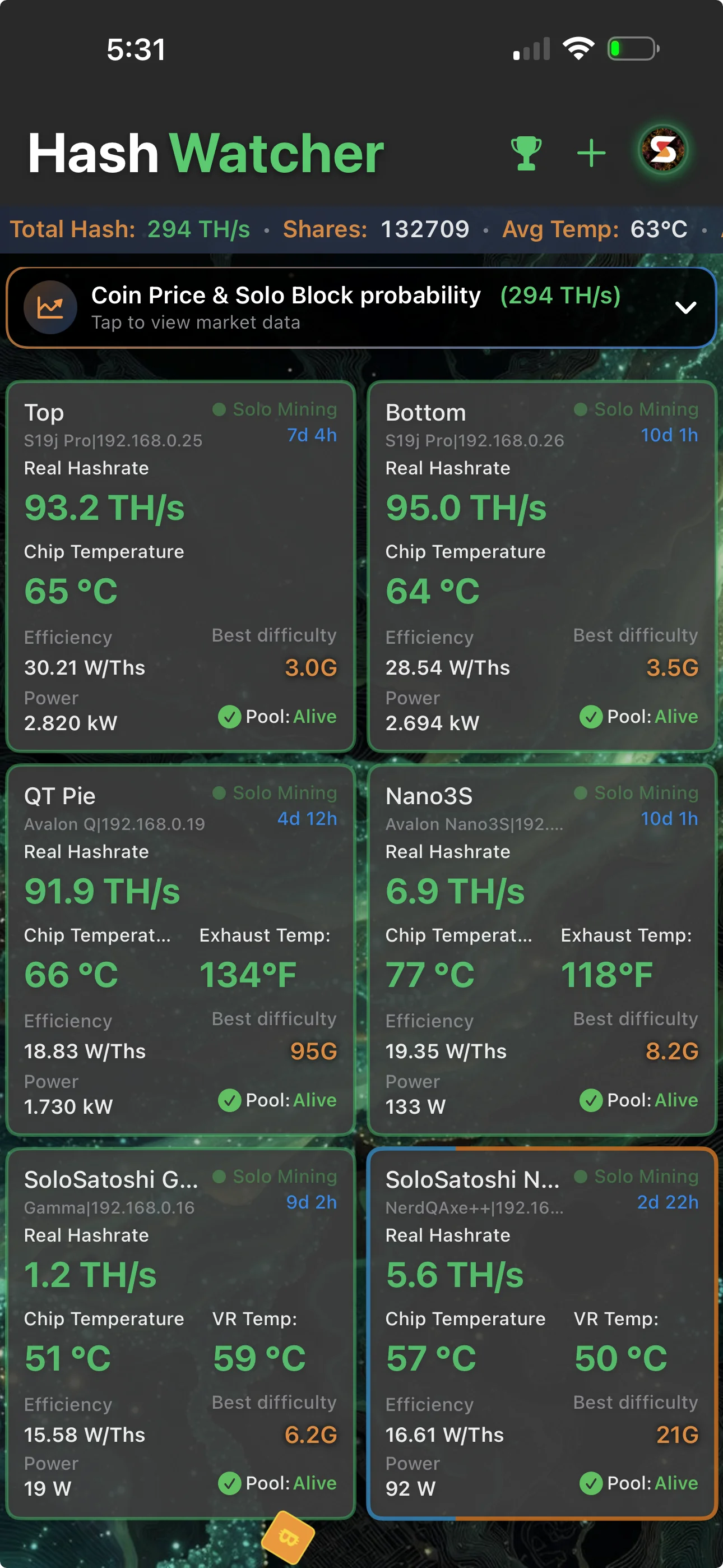
Connecting and Setting Up HashWatcher with Kryptex Pool
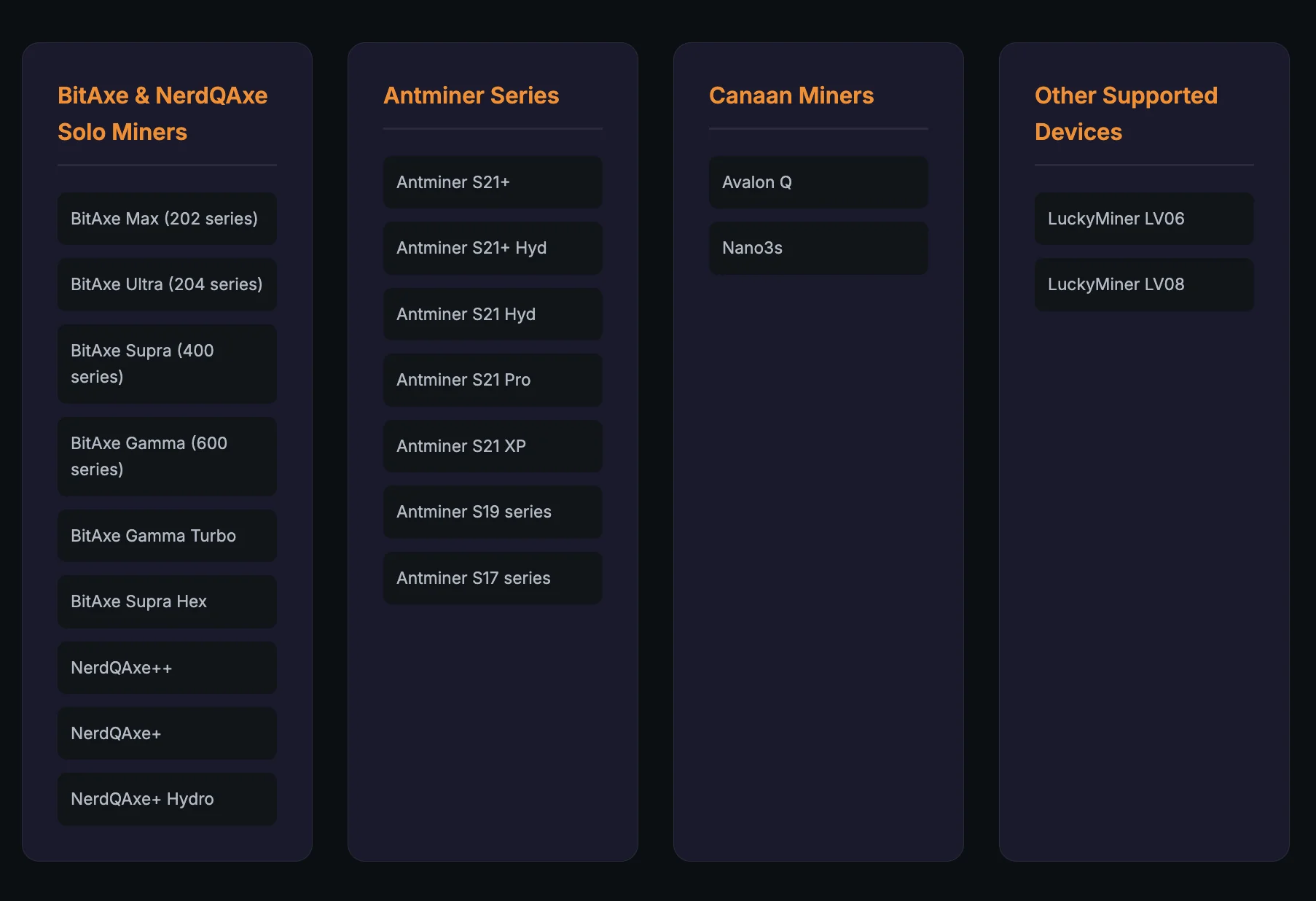
Check whether your miner is compatible with HashWatcher: You can view the current list of supported hardware here.
Download HashWatcher from the App Store or Google Play
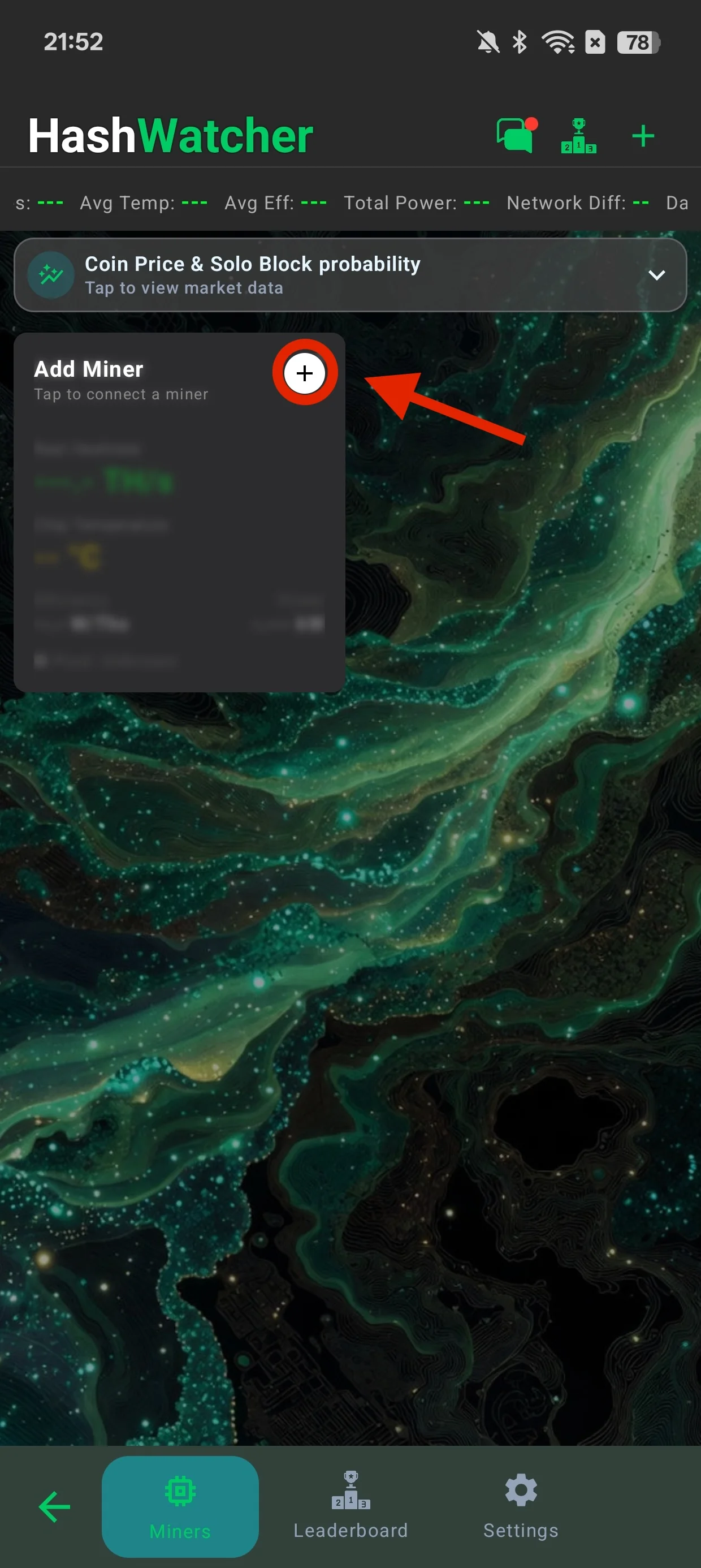
Open the app and tap "Add Miner".
Select a model from the list and tap "Scan Network".
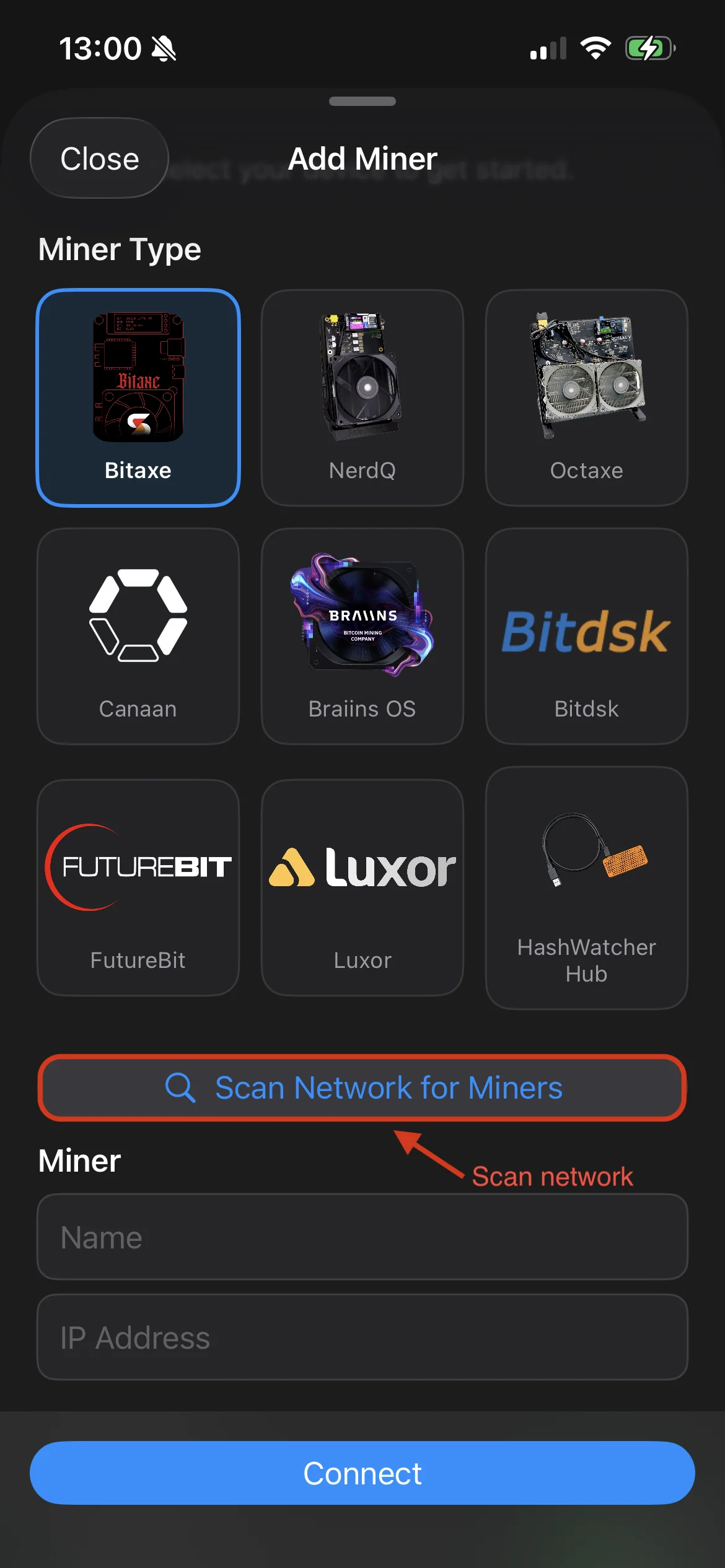
Select a miner from the list or enter the IP address and miner name manually, then tap "Connect".
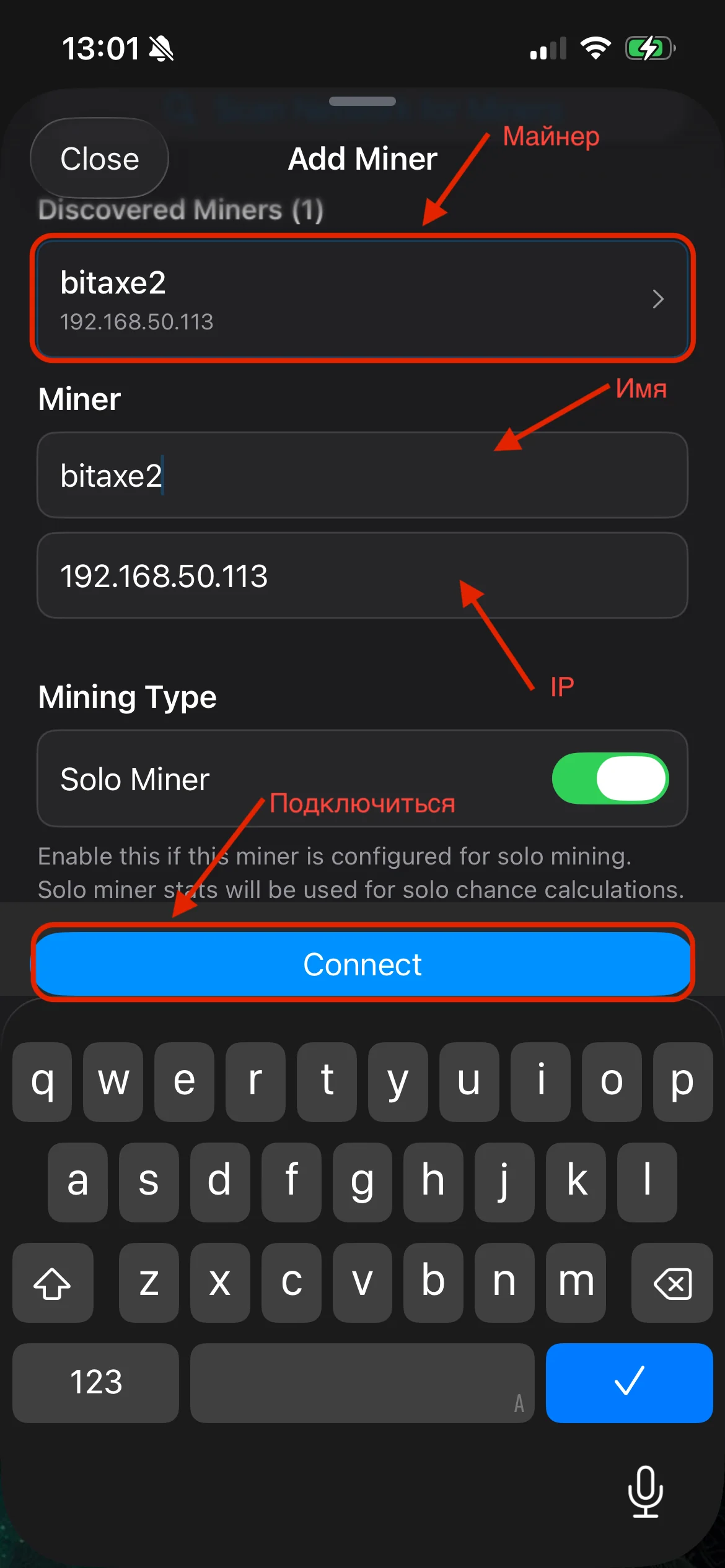
Done, the miner has been added successfully.

After that, HashWatcher can be used to conveniently monitor devices on the local network, while the actual mining is done through pool.kryptex.com.
As an additional way to monitor mining progress, you can use Kryptex Monitoring Bot on Telegram.
Main Features of HashWatcher and Who It Is Suitable For
HashWatcher is best suited for those who want a convenient way to monitor mining and quickly see the status of their devices in one place.
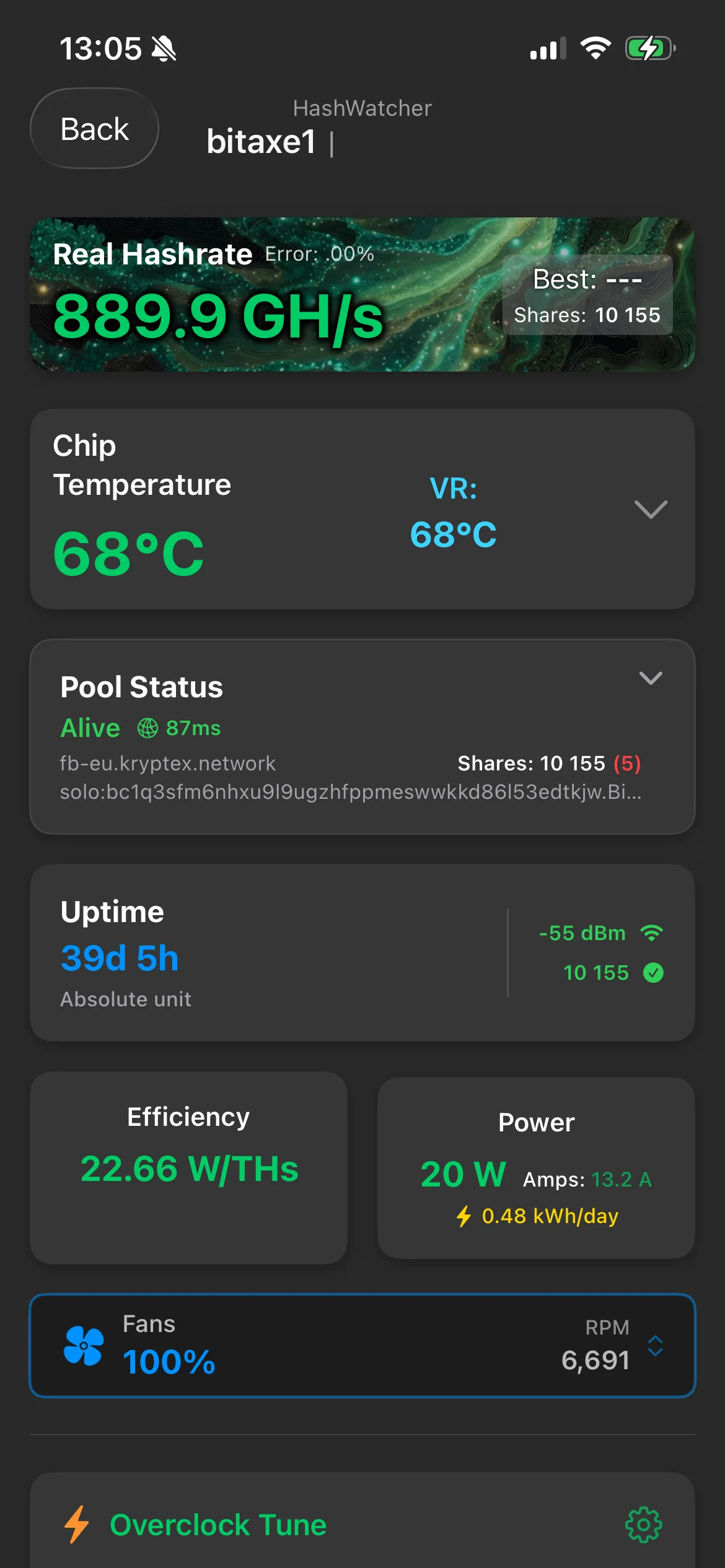
Mining monitoring — shows hashrate, energy efficiency, temperature, uptime, and pool status.
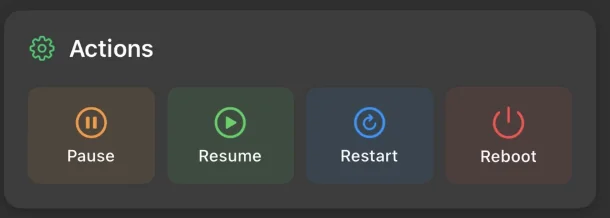
Device control — lets you pause mining, resume it, restart the ASIC, and power it off.
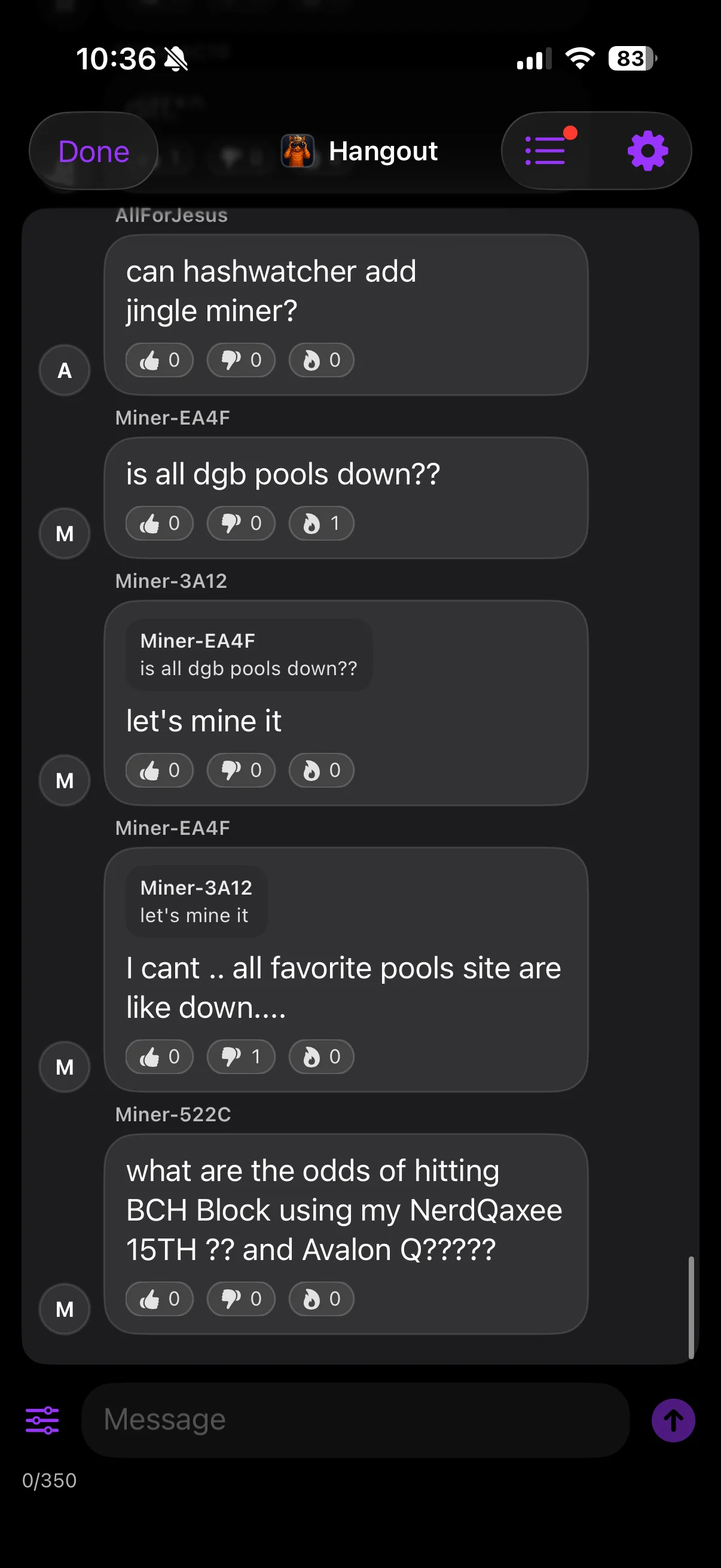
Chat — lets you share experience with other app users.
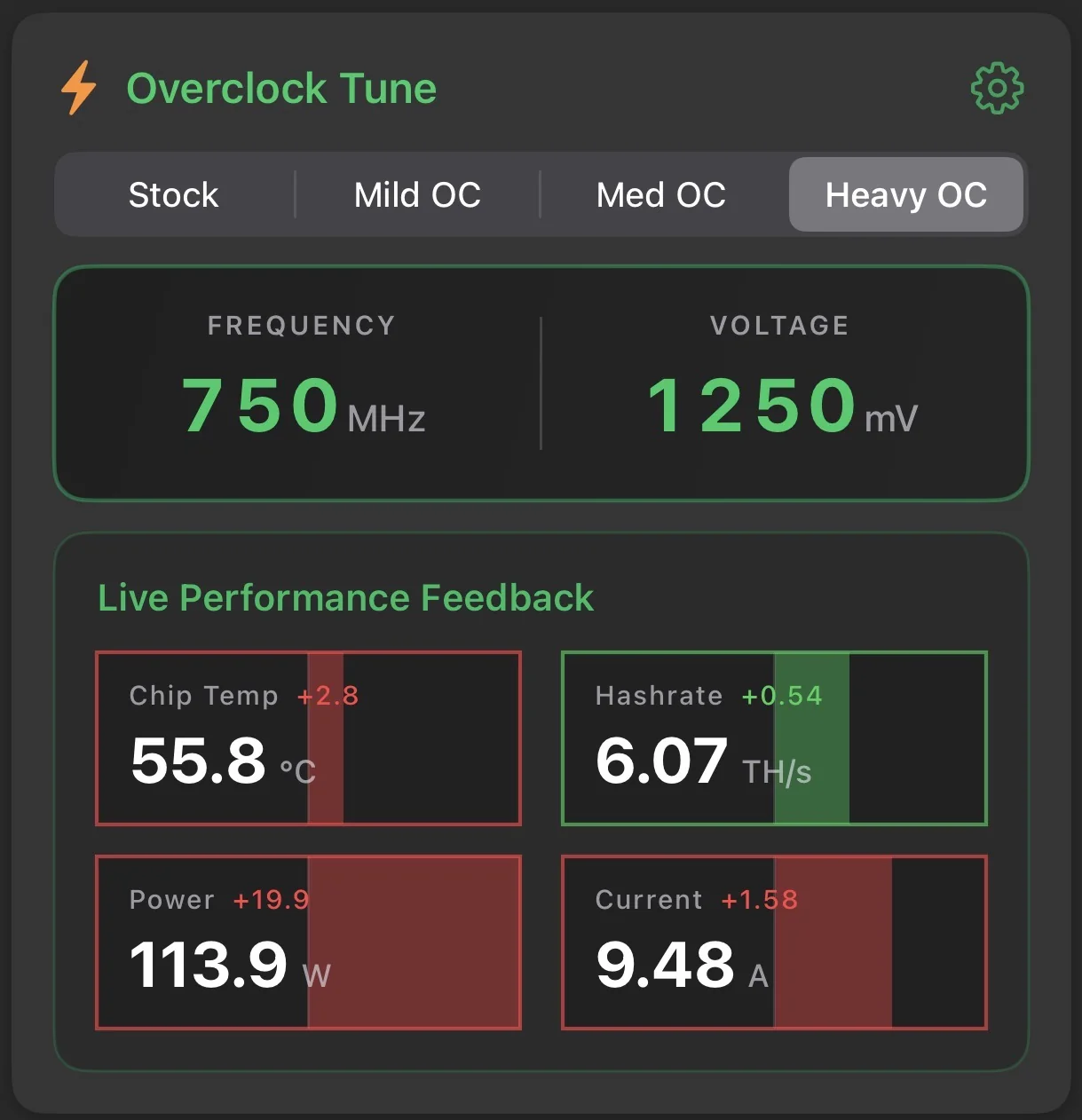
Overclocking profiles — let you choose the device operating mode and switch between different settings. You can immediately see how this affects chip temperature, hashrate, and power consumption.
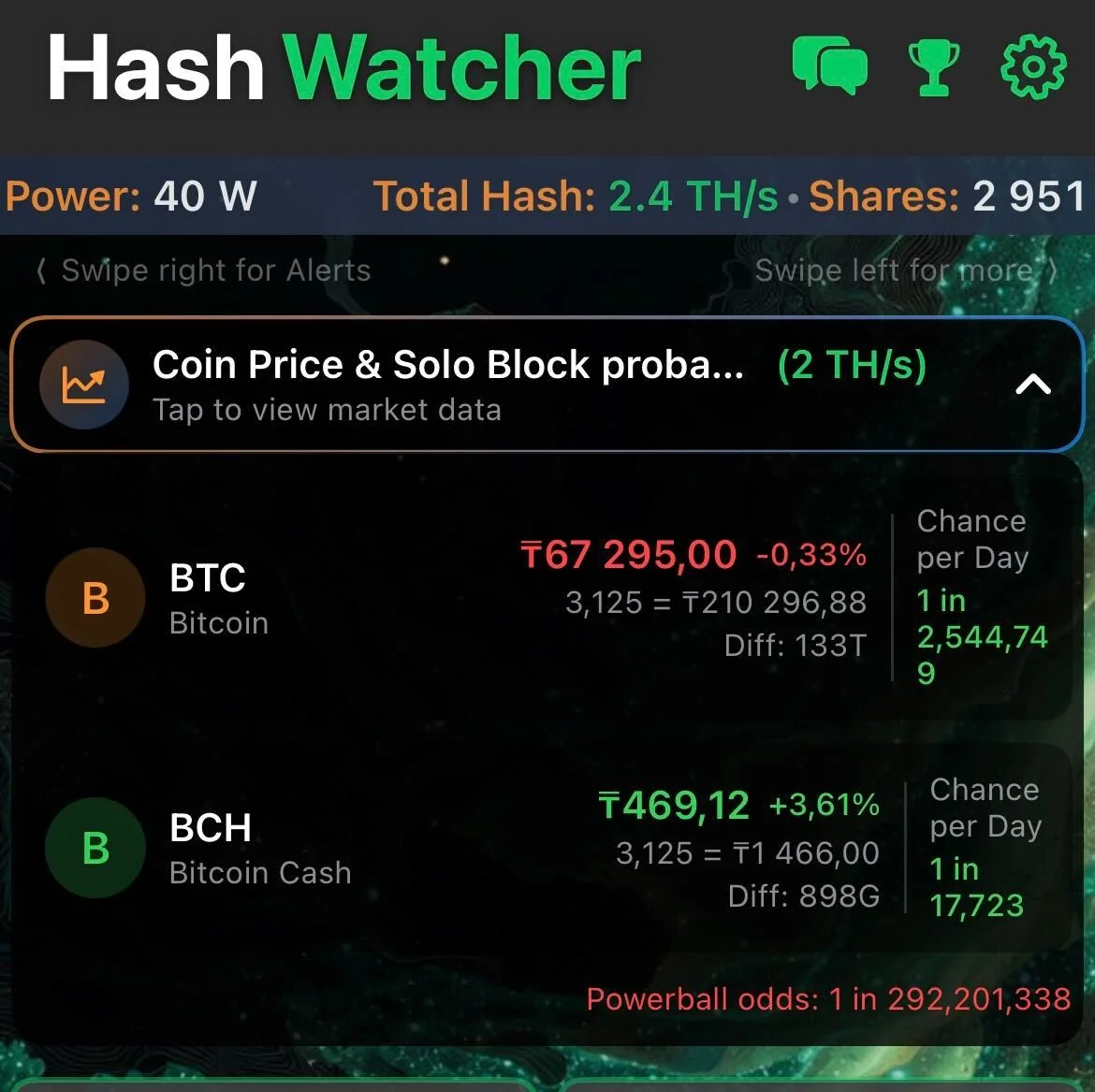
SOLO mining calculator — helps estimate the chances of finding a block based on the current hashrate. It also shows the coin price, network difficulty, and the approximate probability of finding a block in a day.
Need help?
Still have questions, something is unclear, or unable to connect? Contact support — we'll be happy to help!
Email support at support@kryptex.com
